
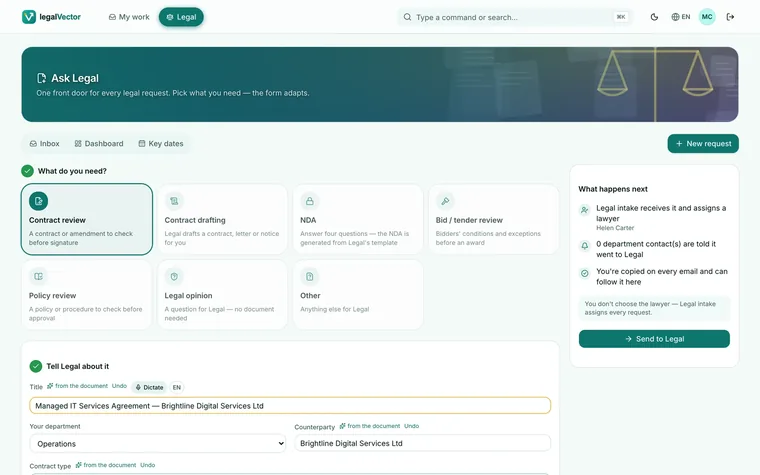
Ask
Drop the Word file. The form fills itself.
Title, counterparty and contract type are read from the document.
Submit a request, see who has it and what's next, and get answers without chasing emails.
30 minutes with the team. No commitment.
Three short films. They play on their own; tap the speaker for sound.
The request arrives by email.And gets lost somewhere in the thread.
The contract travels as an attachment.Nobody knows which version is the latest.
The status lives in a spreadsheet.And the deadline in someone’s personal calendar.
Each step looks reasonable. Together they cost you time, versions and missed notice deadlines.
Title, counterparty and contract type are read from the document.
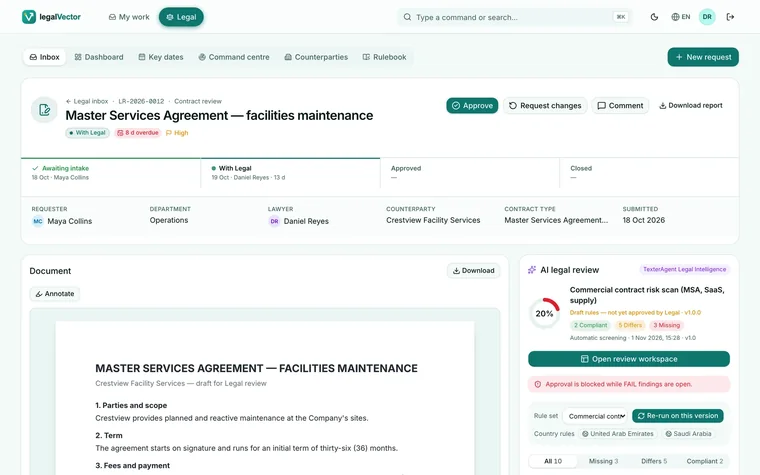
Every request arrives with an AI legal review against your playbook, and approval stays blocked while a clause fails.
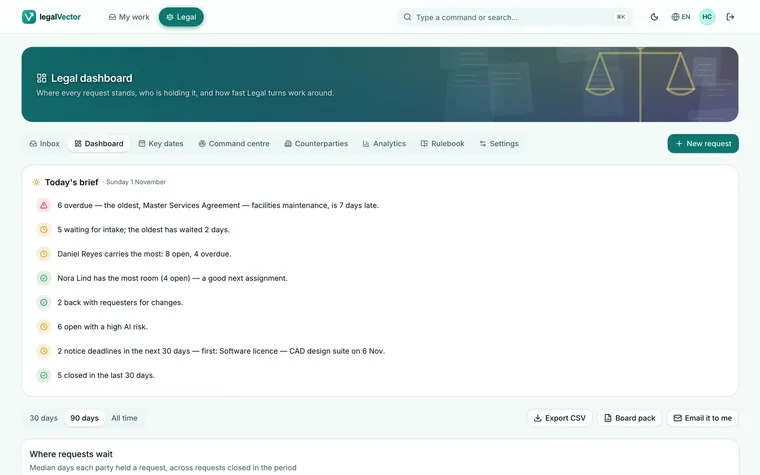
Today’s brief: what is overdue, who is waiting, who has capacity, and what falls due next.
For CIO and IT
It runs on Doxis or Alfresco with your existing permissions, records and audit trail. There's no new silo, and your data stays in your perimeter.
legal_request on APS, TX_LegalReview on Doxis.legalVectorMarks model.No. The AI reviews against your playbook and proposes wording. A person always decides, and a failing clause blocks approval until a lawyer records the reason.
No. legalVector runs on the Alfresco or Doxis you already use. The repository stays the system of record.
Yes. Accepted fixes are genuine Word tracked changes, saved as a new version of the same file.
E-signature and Teams notifications are not included yet, and request intake is in beta. We’ll tell you plainly in the demo.
We show legalVector running on the repository you already use, with a real request from your day-to-day.
Rather talk now? +351 916 868 318 · WhatsApp
We’ll confirm the time by email within one business day.